
“Asset Report” Redesign
A redesign of how users view and analyze assets on a B2B desktop web application
OVERVIEW
This project is for an existing B2B SaaS commercial real estate web app that focuses on equipment asset planning. This tool helps users analyze and prioritize equipment replacements for commercial buildings.
One of the most frequently used pages in the web app is the "Asset report" page, where users manage and view information on each asset.
MY ROLE
As the only designer on this project, I conducted user research, wireframing, prototyping, user testing, and final UI design delivery for engineering implementation.
Problem
Currently, users utilize other tools to gather additional information about an asset. How might we provide a holistic view of the asset without overwhelming users?
Users want to keep track of asset decisions on an asset easily so that they can communicate with clients effectively. How might we make approval status more intuitive and provide an audit trail for accountability?
Discovery
Gathering user feedback and business goals to understand the existing problems
Business goals
The business goal was to enhance the Asset report page by incorporating additional data, allowing users to gather necessary information without switching to other applications, thus increasing user efficiency and productivity.
User interviews
I conducted user interviews on the existing tool to understand user workflows, pain points, wants, and needs.
What worked well:
Users liked the existing feature that highlights high-risk areas or 'red flags' of an asset so they can easily scan through them.
What needed improvements:
There were usability issues. Additionally, there was no good way to keep an audit trail on the decision (ex. replace, monitor, etc.) of an asset.
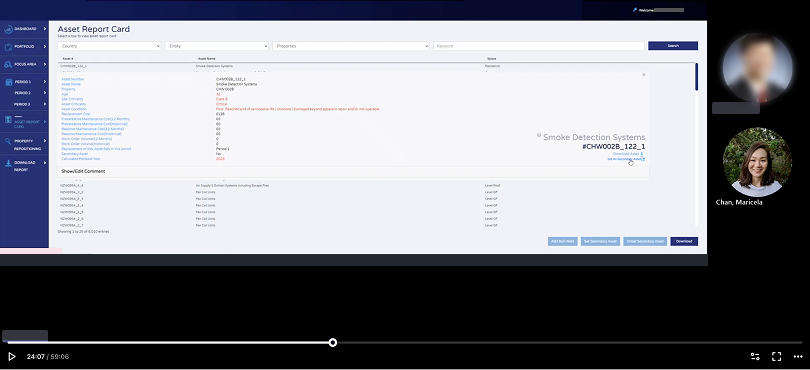
Who are the primary users?
“With thousands of assets and a limited budget, how do I effectively prioritize and recommend assets for replacement to my clients?”
Cameron, Reliability Engineer (internal company staff)

User background:
The main users of the web app are internal company staff with job titles such as Reliability Engineers.
They are tasked to monitor thousands of assets and make recommendations to clients on what assets to replace during the budget planning cycle
They act as advisors to their clients
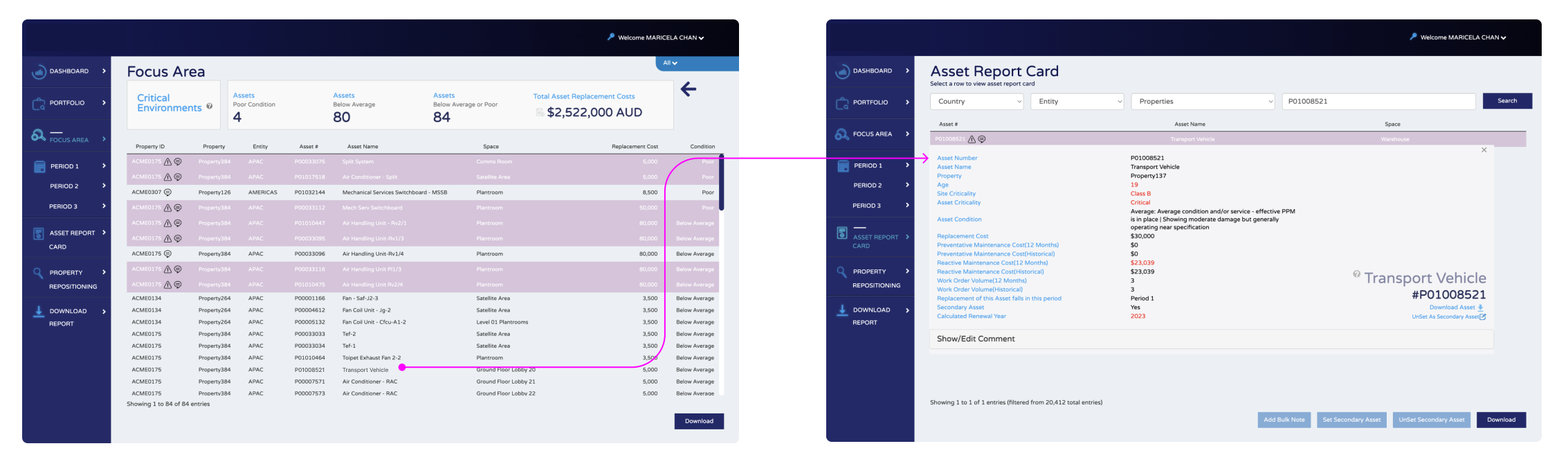
Old “Asset Report Card” page
The old “Asset Report Card” page and flow was documented here for reference.
Ideation
Brainstorming and testing out solutions quickly
WIREFRAMING
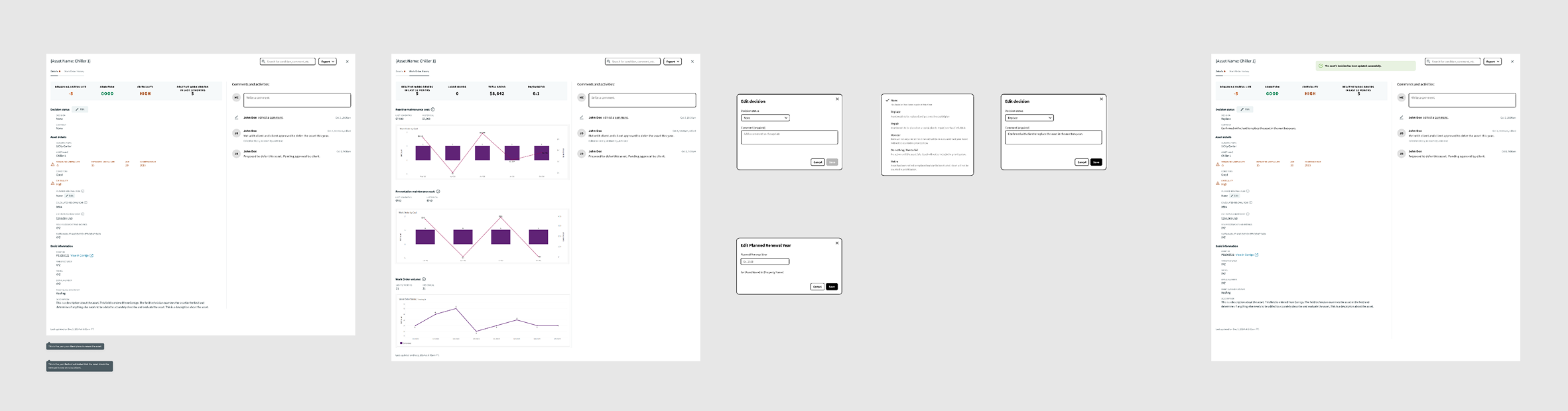
I developed wireframes based on user pain points and needs. The wireframes were turned into a clickable prototype for user testing.
USABILITY TESTING
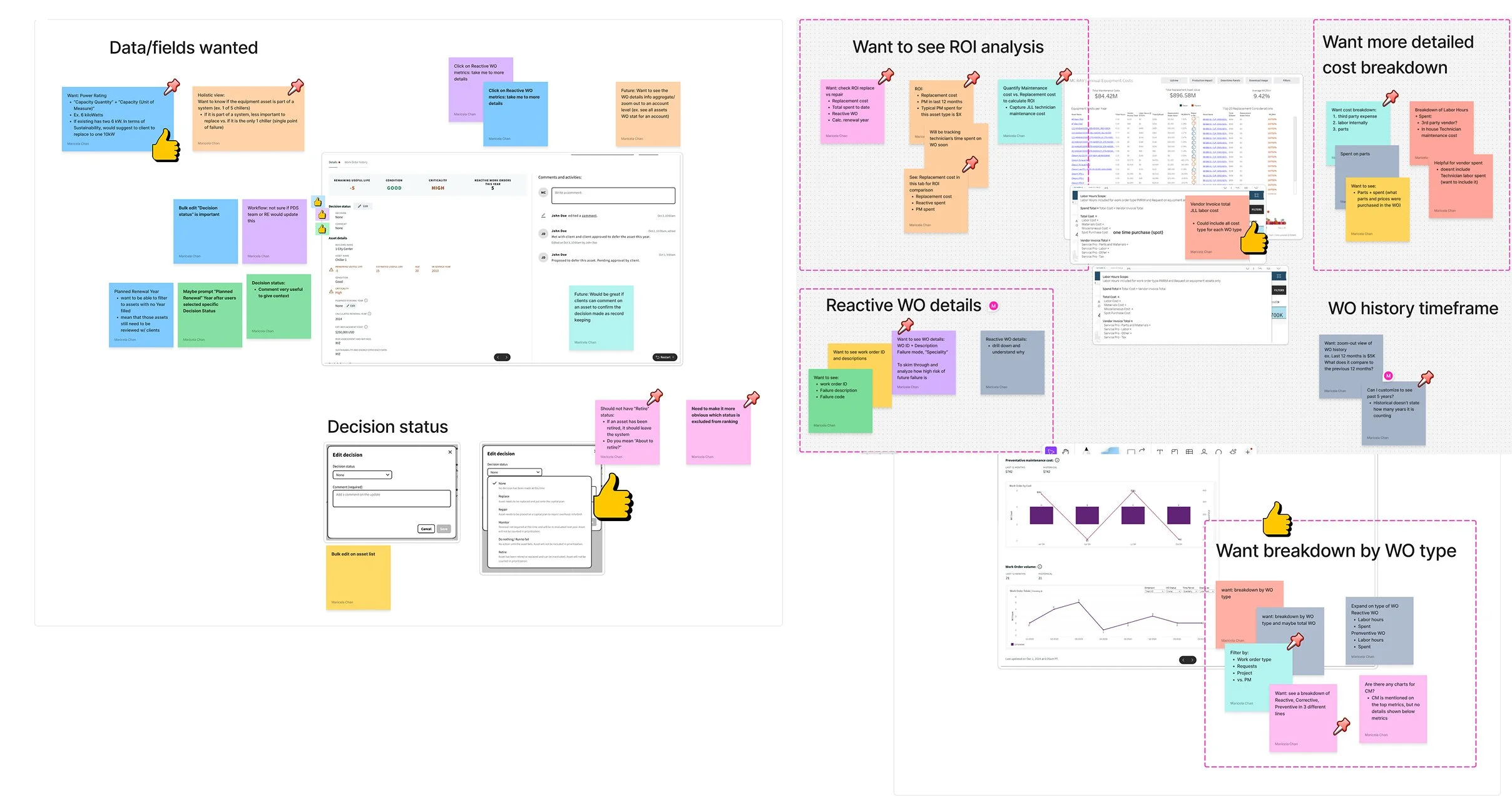
Based on user feedback on the wireframes, I created post-it notes and organized the feedback into themes. This was presented to key stakeholders. The artifact was impactful as key stakeholders often revisit this as a reference.
FINAL DELIVERABLES
After aligning the designs with all stakeholders (product and engineering), I developed high-fidelity designs including all edge-case scenarios and UI assets. I collaborated with engineers to implement the final designs. When a build was ready, I worked with engineers on design QA.
Goal — One-stop shop to improve efficiency and accountability
The final UIs were created referencing company’s design style guide to ensure a cohesive experience across all platforms and met ADA accessibility requirements.
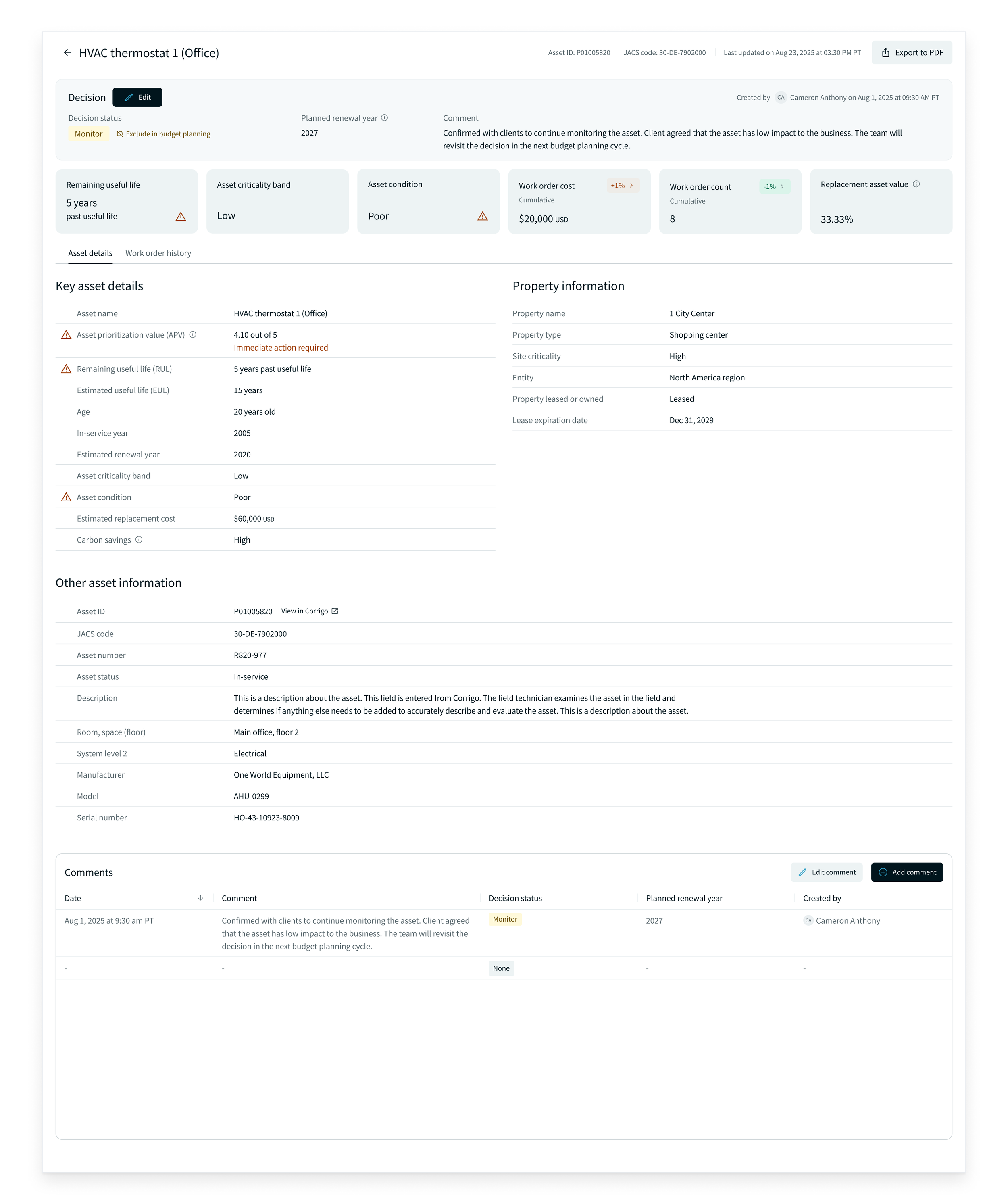
One-stop shop to view details
As noted in our research, users had to switch to other applications to gather the information they needed to decide if the asset should be replaced or not. Switching to other applications created inefficiency.
Solutions
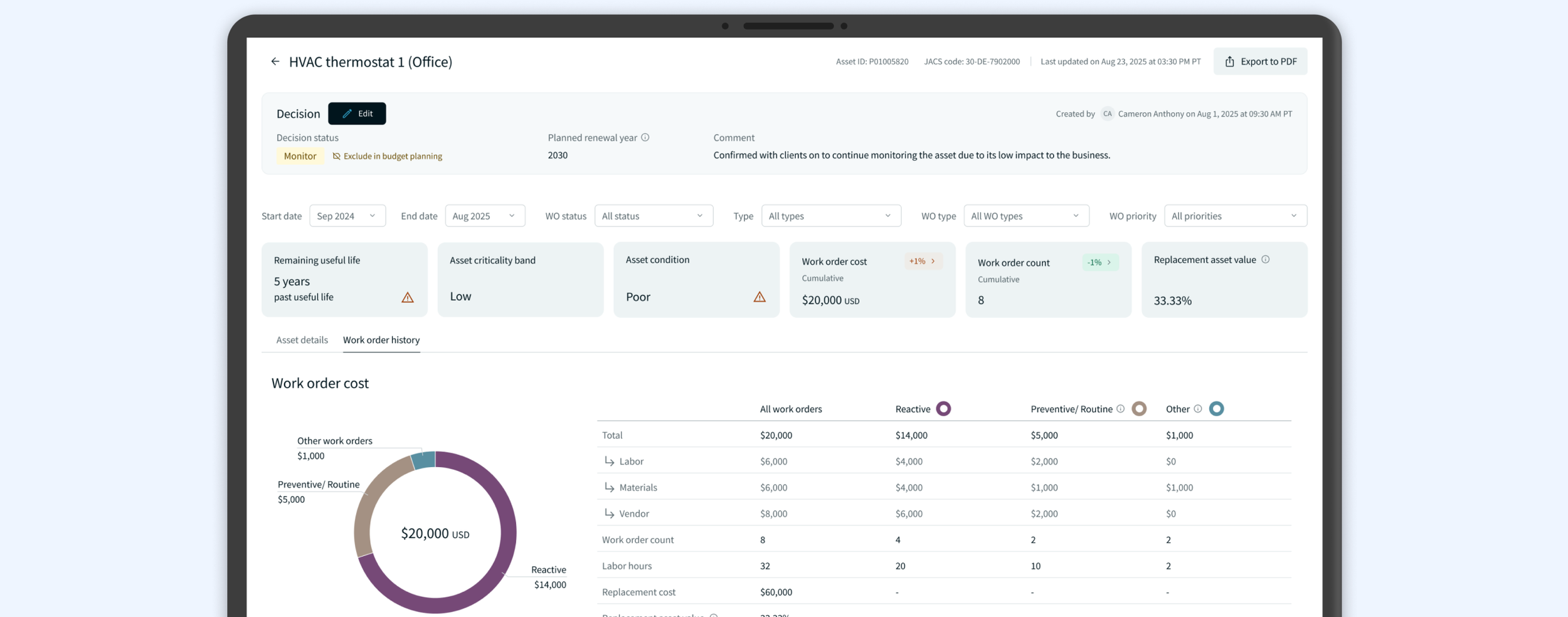
In the redesign, I included asset details that are crucial in helping users make a decision on an asset effectively. Asset details that are frequently requested by clients are highlighted at the top. Data that is outside of the normal/expected range are highlighted for easy scanning. Data is broken down into digestible sections to provide better organizations and enhance easy scanning.
Audit trail to improve communication
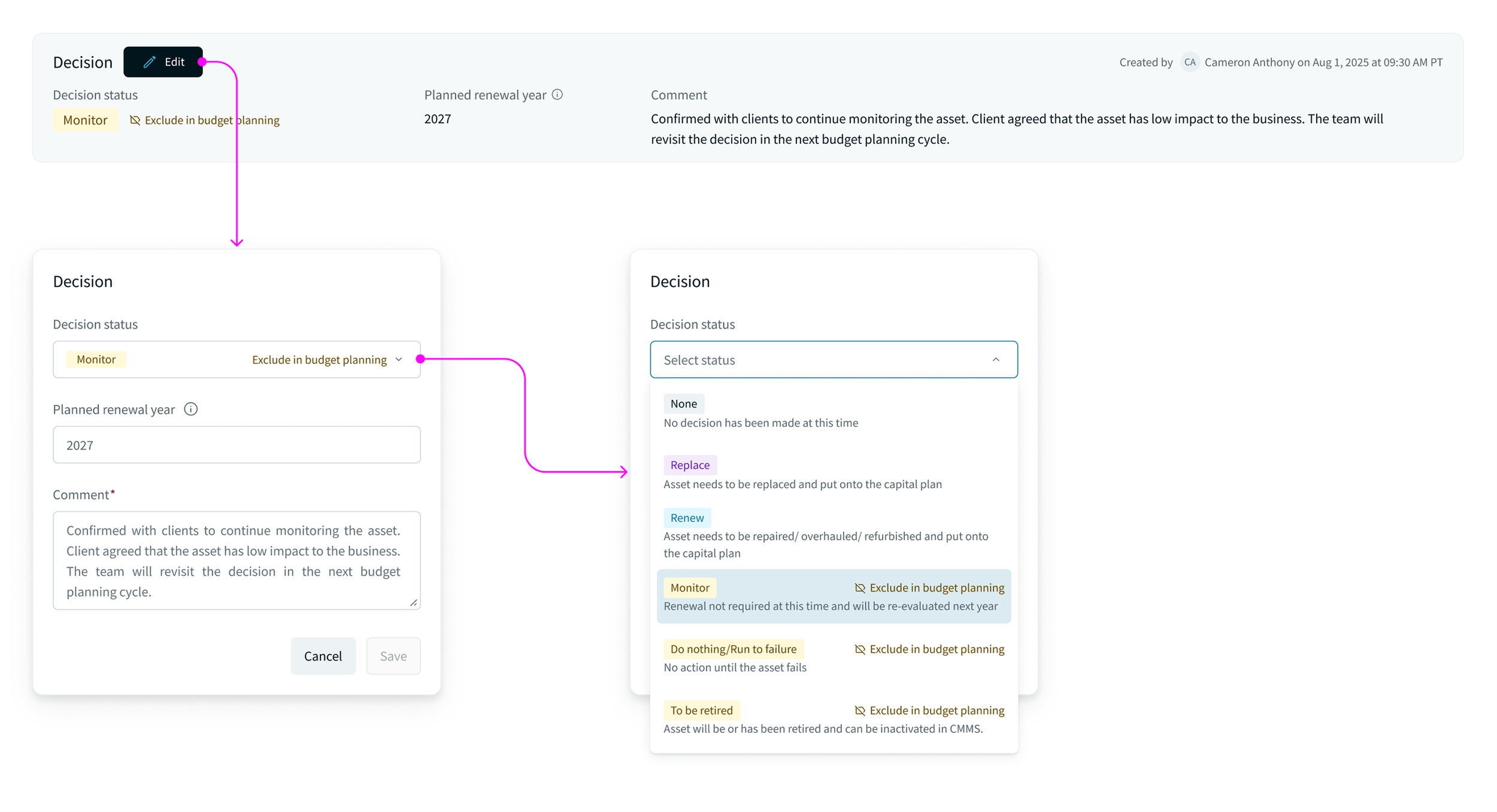
Previously, users used comments to keep track of an asset’s decision. Comments were hidden under a click and easily missed.
Solutions
In the new design, a new "Decision" section provides an audit trail on asset decisions. Users can keep track of the approval history easily for more effective communication with clients.
From high-level view to detailed view
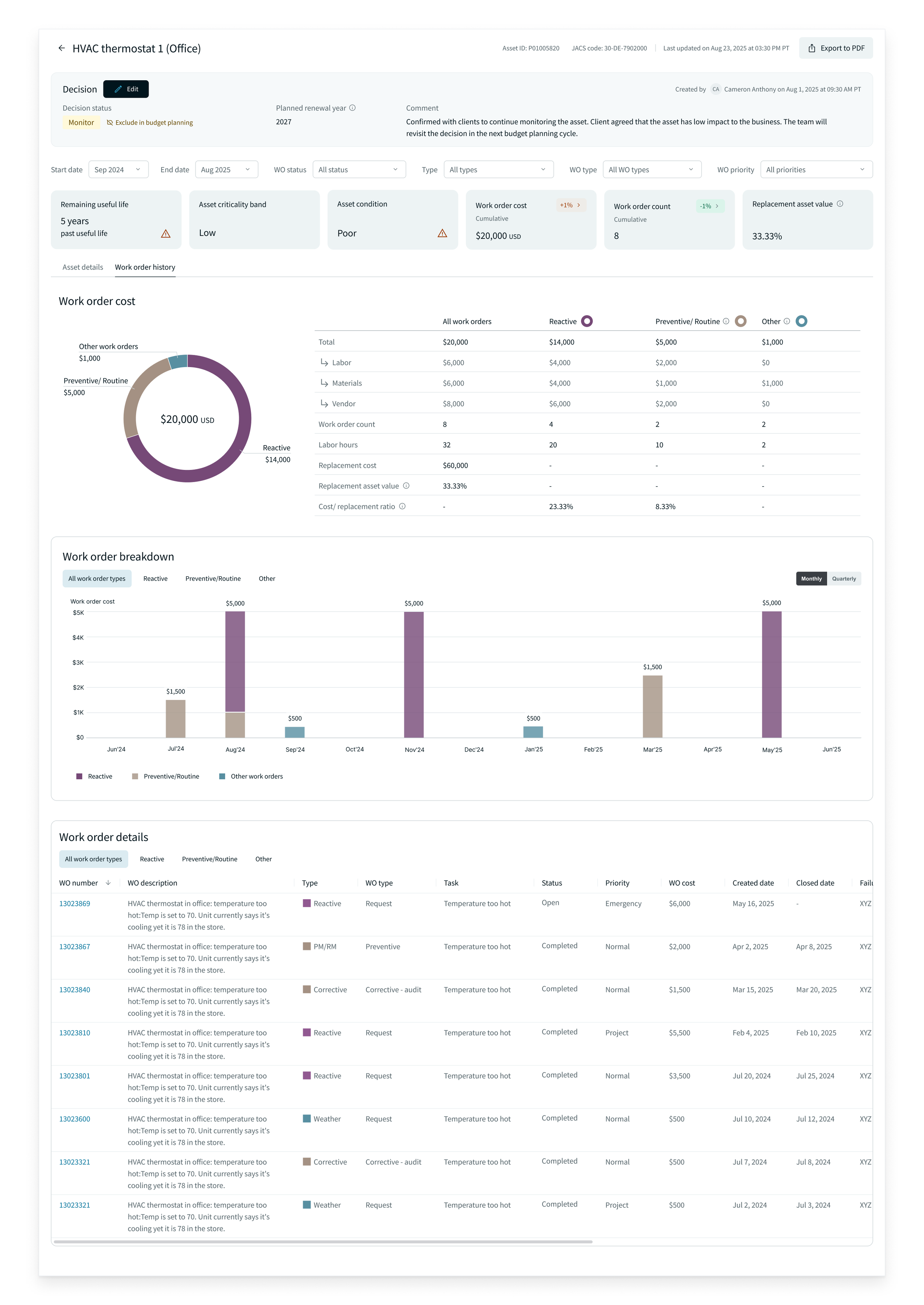
Based on user interviews, users needed a lot more details related to works or repairs done on an asset to assess its future risk of failure. Users had to switch to another application to gather that information in the old design.
Solutions
The new design includes more details on the works/repairs done. The page layout is organized to help users compare data easily between different types of works/repairs done. The top of the page provides a high-level view of the most important work types done so users can understand the “big picture” first. At the bottom of the page, it provides a detailed view of works/repairs done for users to dive into the details if needed.
Impact and outcome
Business
I conducted user interviews after redesign. Users were satisfied with the new data provided. They no longer needed to switch to other tools to see the details, thus improving efficiency and productivity. Additionally, some users commented that the new “decision” feature was a game changer on how they manage client relationships. Users could refer to the decision history easily.
What I learned
Industry-specific context
Some data fields, such as the “Asset Prioritization Value”, are specific to the asset management industry. I tried to understand the context as much as possible, but sometimes new fields are added at the last minute. It is easy to miss the meaning behind these additions and just include them as requested. To avoid this, I did quick and informal user feedback sessions. I shared the UI designs with users via chat, and since they knew the data well and are familiar with the designs, they provided actionable feedback. The final check with users was quick and efficient. It saved time for the product and engineering team.
Keep new features lean
Keep new features simple — start with an MVP. With the new “decision” feature, the team focused on the main problem it solved. We did user research and user testing but we would not fully understand how users will interact it until it is released. So, it is more efficient to keep the new feature lean, track usage, and improve it later. Otherwise, the team could spend too much time on enhancement before releasing to the real world.